Sterilex sells supplies for cleanrooms, sterilization and bioprocessing. Its catalog existed in two places: the site published products with no code, and the spec sheets lived in PDF.
The site ran on WordPress with WooCommerce and Elementor and had 398 published products, with no price and no code.
Of those, 111 had no main photo. Two in every three titles were in all caps, with no standard format.
The real catalog was somewhere else: 188 technical spec sheets in PDF, from about 30 manufacturers, each with its own layout.
With no product codes, products could only be matched by name. And names mislead: BOBINA SMS AZUL 50GRSand Bobina SMS Azul Sterilex 60g are almost the same text, and they are different products.
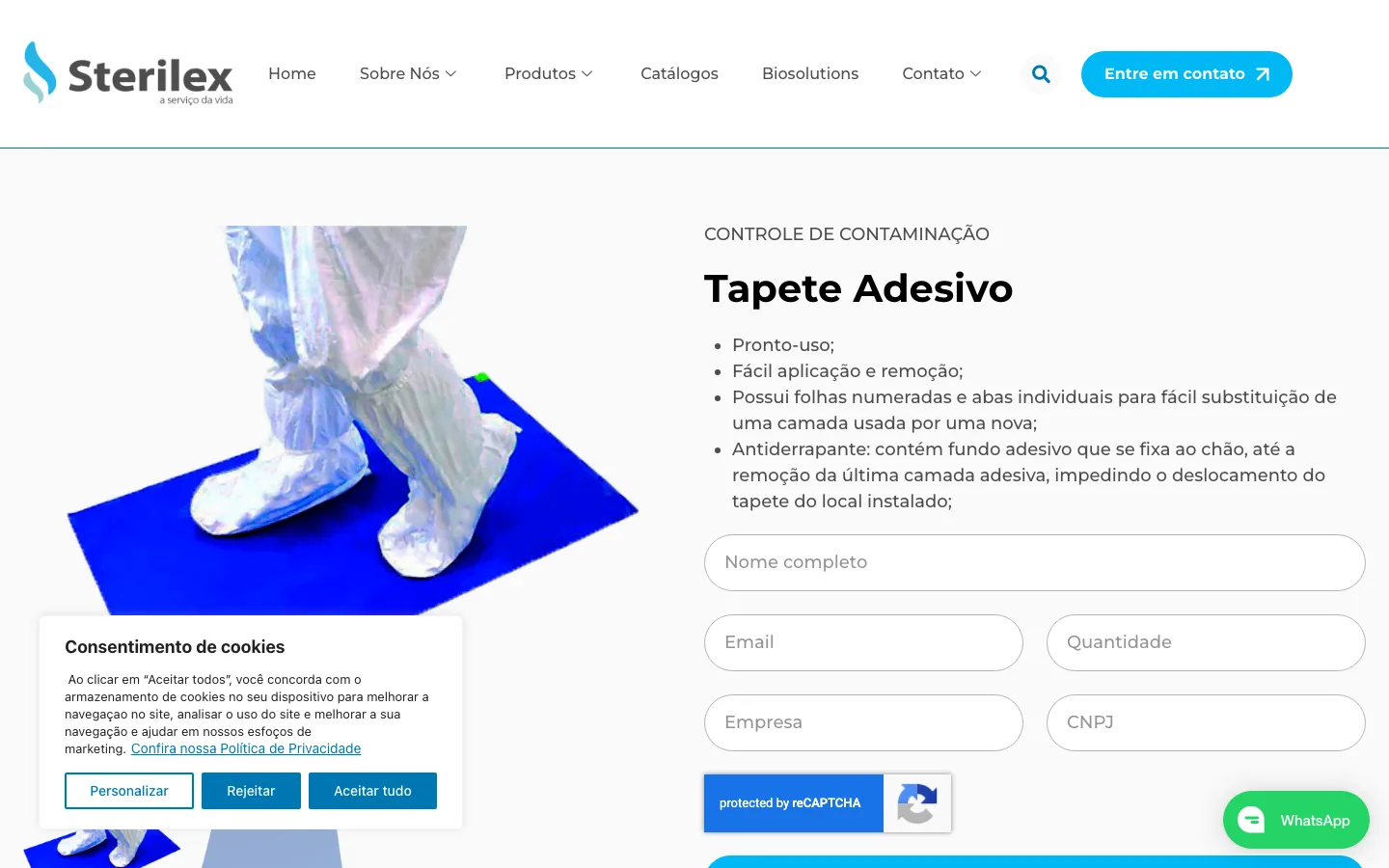
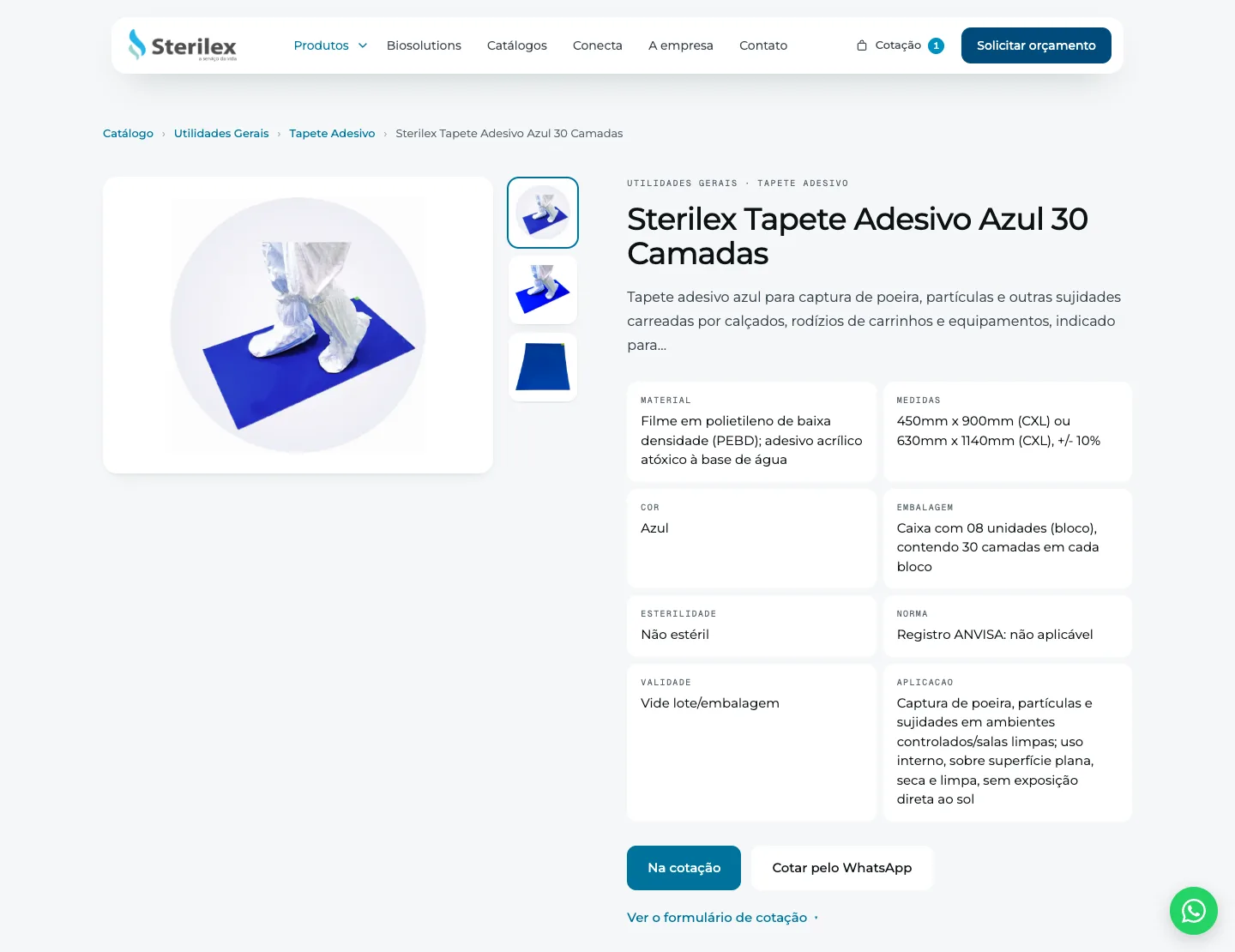
Before: the cookie banner open, reCAPTCHA on the quote form and the WhatsApp button over the content.Now: the same product, with the spec sheet on the page and already in the quote basket.
An extractor, a reconciliation, a site and an admin panel
We wrote the extractor that reads the 188 spec sheets and returns text, a candidate photo and a structured record. Then the reconciliation between the site and the catalog, decided item by item by the Sterilex product team.
The reconciliation ended with a decision for the 398 product URLs of the old site: 212 migrated, 134 waiting for a spec sheet and 52 redirected.
The new site kept the WordPress URLs. When the new site went live, none of the discontinued products produced an error page: every redirect was handled.
Sterilex got a new custom admin panel, separate from the site and password-protected. The four forms (quote on the spec sheet, quote basket, contact and catalog request) save the request to the database before sending the email.
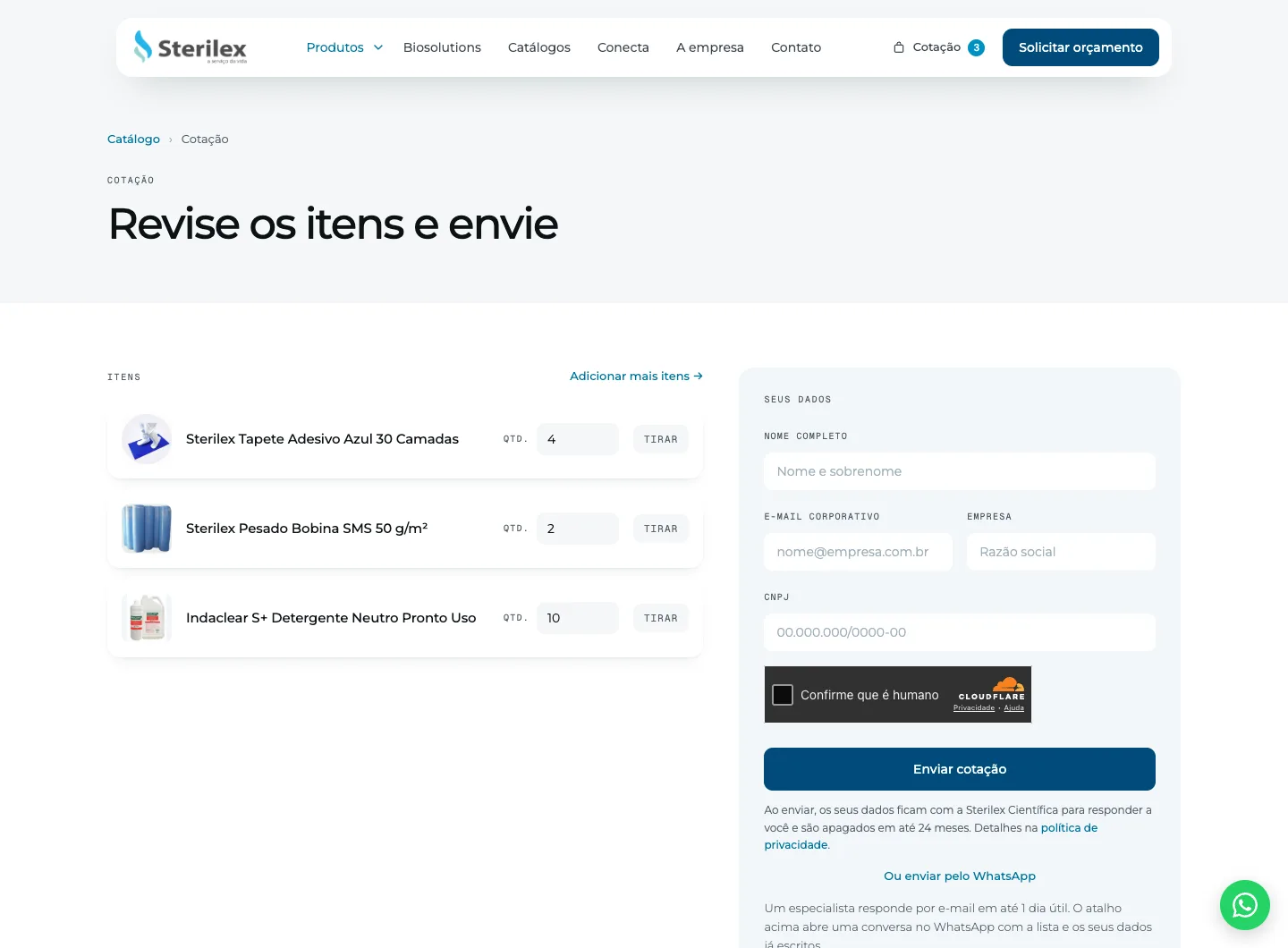
The quote basket: the customer collects products from different pages, sets the quantities and sends a single request.
The spec sheets carry the manufacturer's logo, seals, icons, frames and tables drawn as images, and only one of them actually shows the product.
The selection works in layers, with specific rules for dimensions (px) and file size (bytes). Among the images that pass those rules, the one that repeats in two different categories is selected as the product image.
The first extraction yielded 273 products: 167 from spec sheets and 106 from 7 multi-product catalogs. 87 of them with a code that appeared nowhere on the old site.
2 Where contextual reading comes in, and where it does not
90% of the files were product spec sheets, and extraction followed set rules.
The other 10% are multi-product catalogs, described in prose and in scattered tables, with the layout changing from one manufacturer to the next. In those cases the rule breaks and contextual reading comes in, checked by the Sterilex team.
3 Reconciliation in three queues
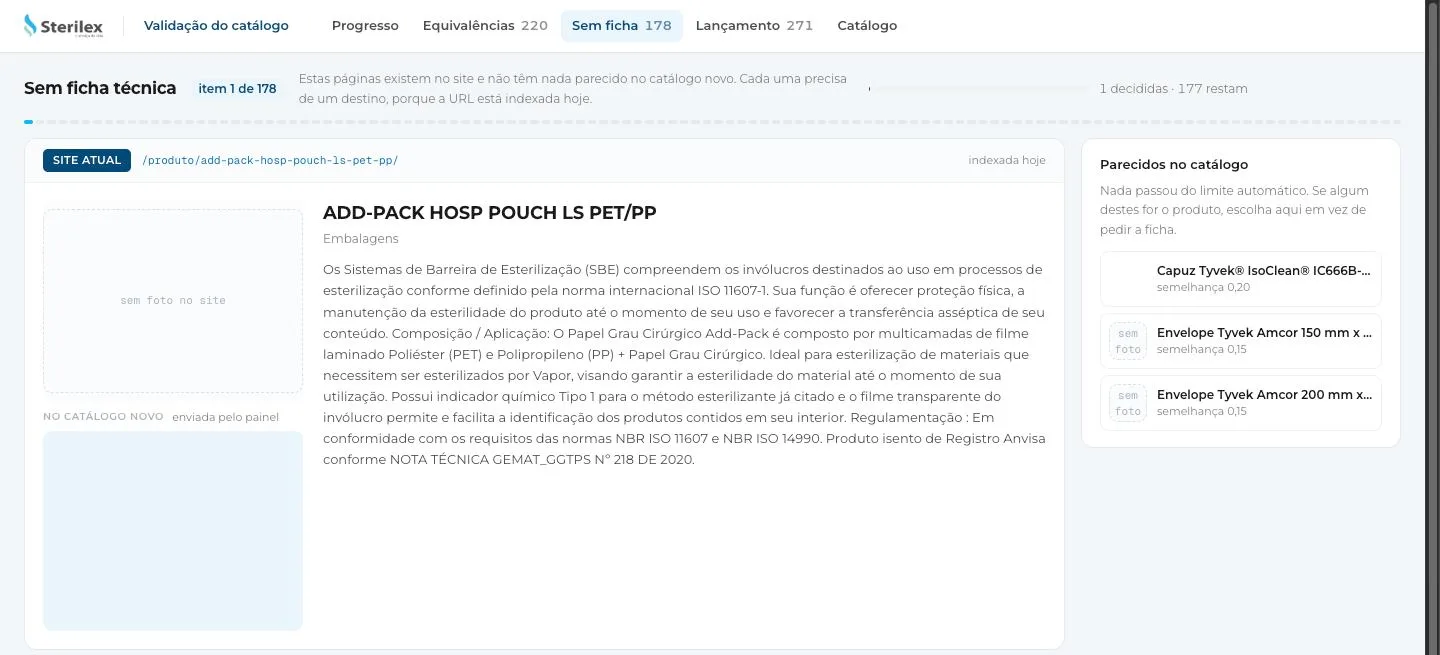
For the migration, we designed a reconciliation game in which the Sterilex team made decisions case by case.
The options were: confirm the match suggested by the automatic comparison, or route the cases where the product existed only on the site or only in a spec sheet.
The screen for validating matches, with the old site on the left and the possible candidates on the right.
4 The admin panel that keeps it true
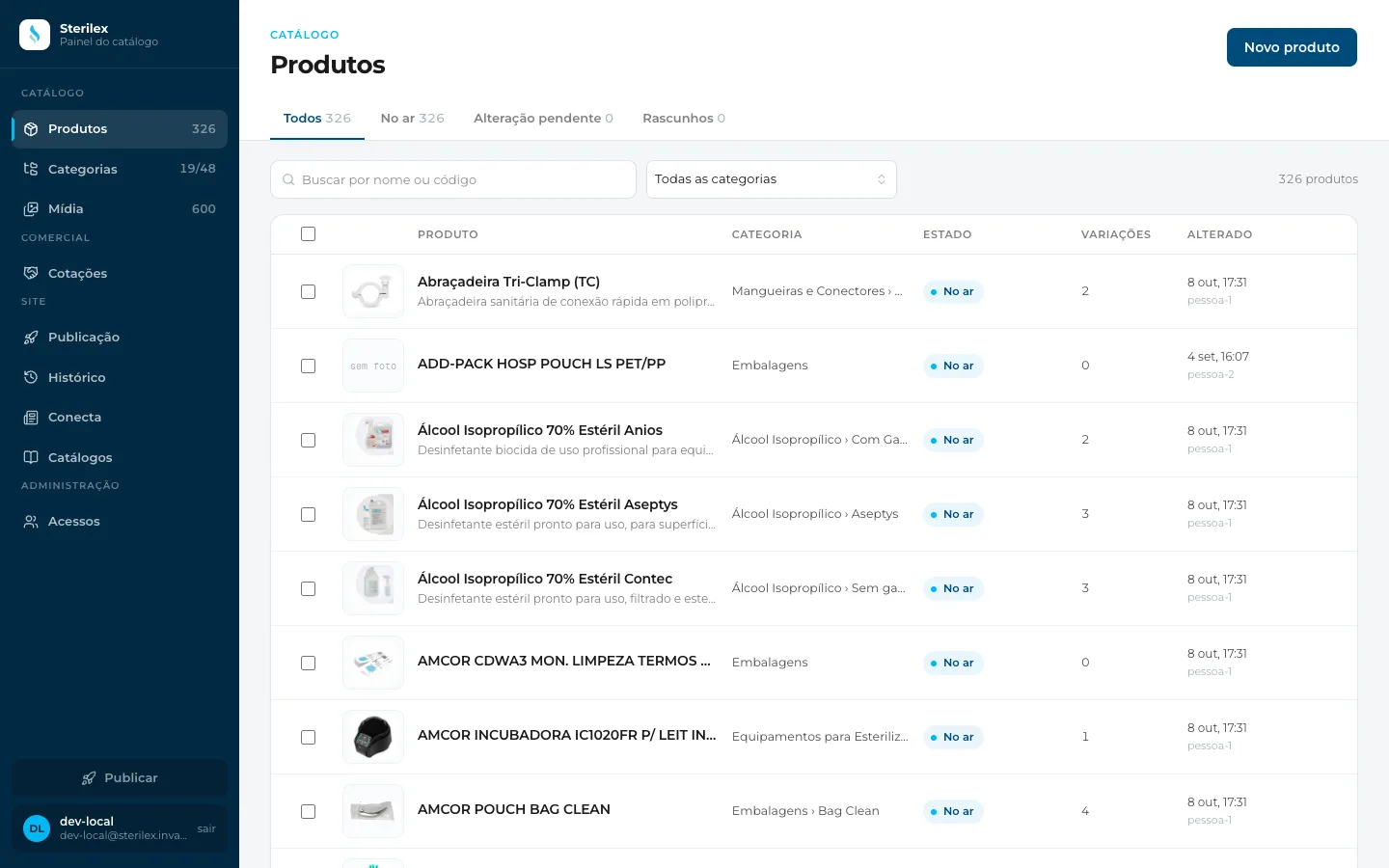
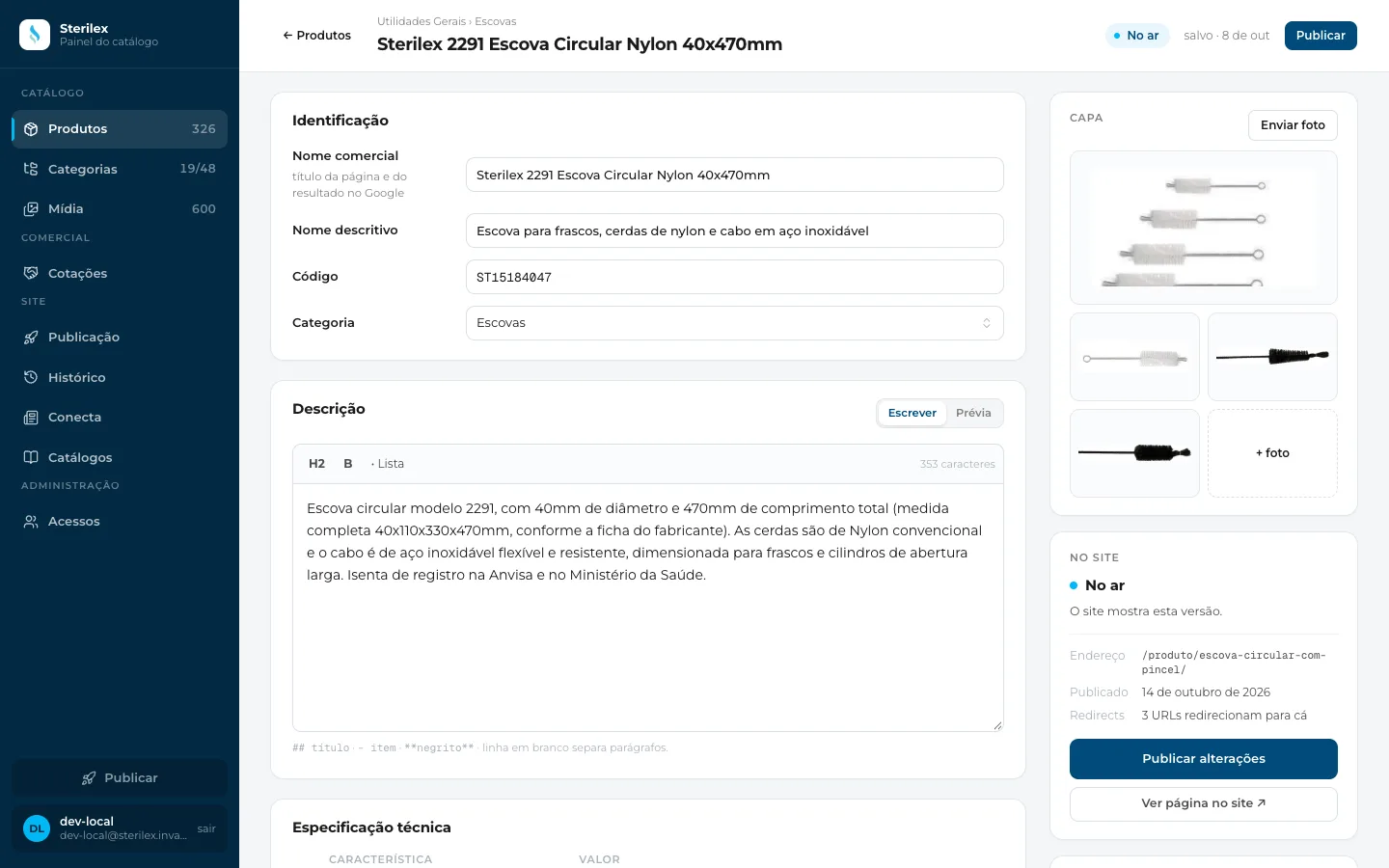
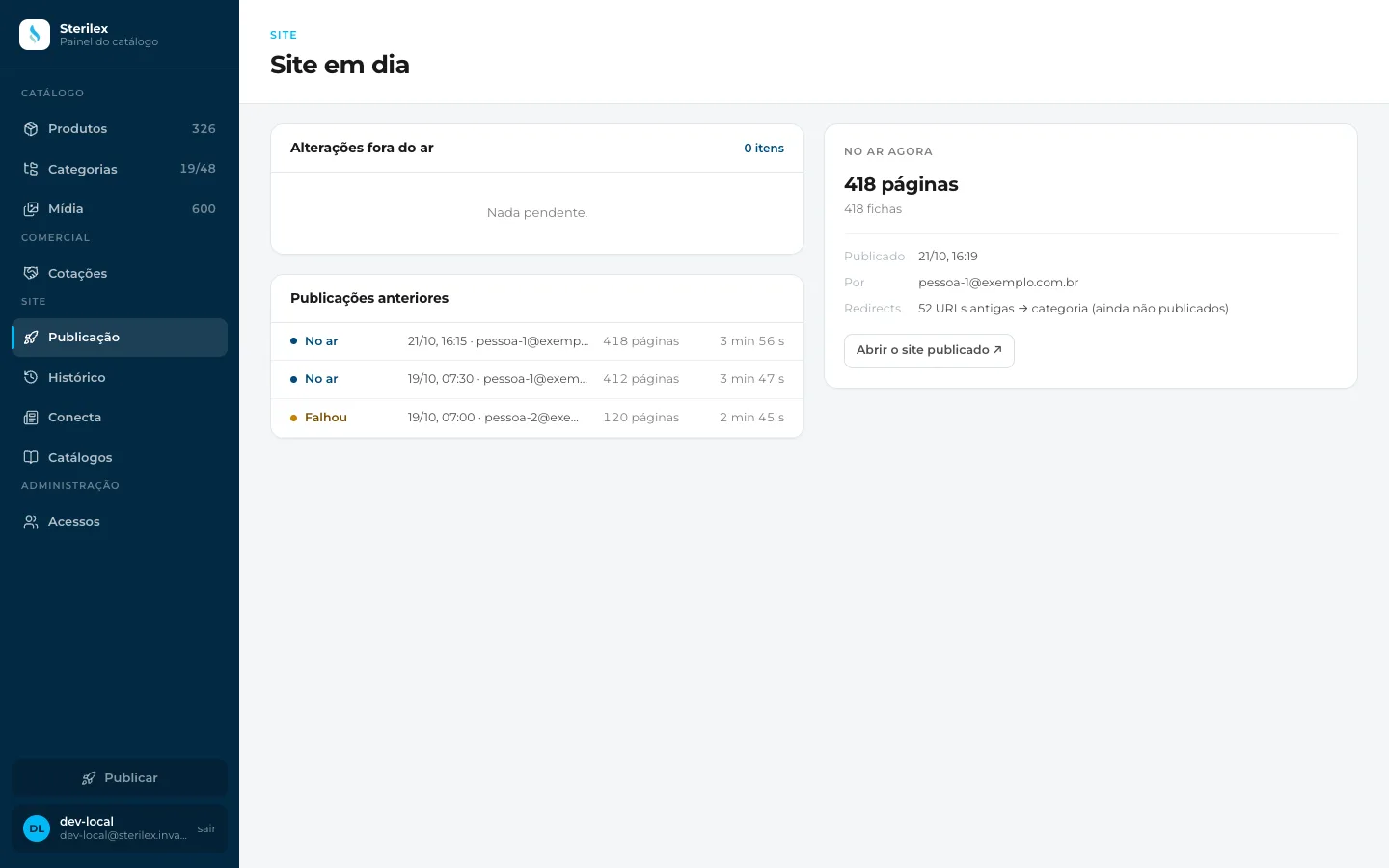
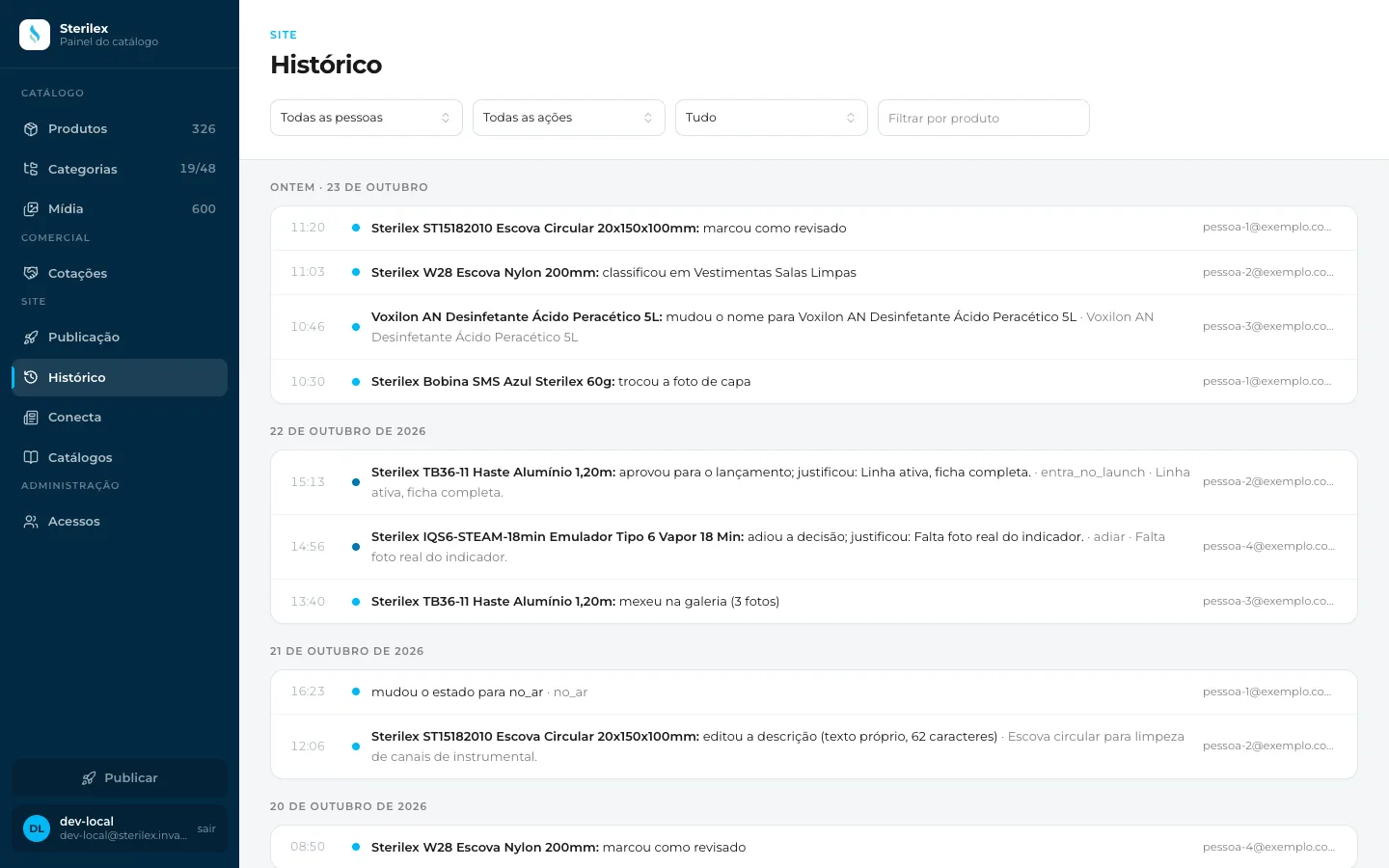
The admin panel keeps the catalog right after reconciliation, in four screens: Products, Spec sheet, Publishing and History.
Products: the whole catalog, with search by name or code. Screenshot with demo data.
In the Spec sheet, we now have what the old site did not show: trade name, descriptive name, code and category.
The Spec sheet of a product. Screenshot with demo data.
Publishing shows what has changed and is not on the site yet, and what is live now.
Publishing, with what is live and the previous releases. Screenshot with demo data.
In History, every change has an author, date and action, recorded on the server in the same operation as the write.
History, grouped by day. People and addresses in this screenshot are demo data.
The site runs on the Cloudflare account of Sterilex itself, on Workers, with the catalog in D1 and the photos in R2. React only in the admin panel. Python only in the spec sheet extraction.